Windows Numpad on Mac (Karabiner-Elements Setup)
Updated: 2026-05*
Note: From macOS Ventura onward, you no longer need Karabiner-Elements. This setup is only required on Monterey and earlier.
1. About the Windows Numpad
In class, the following numeric keypad is loaned out for Blender operation:
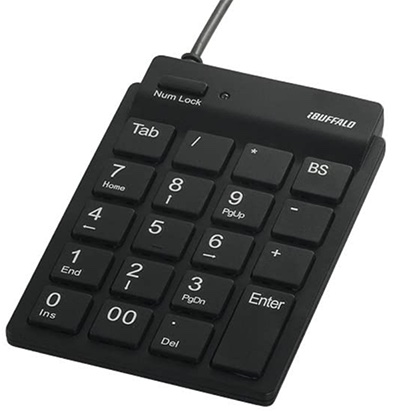
- Numpad: BUFFALO BSTK11BK (about ¥1,000) — 30 units
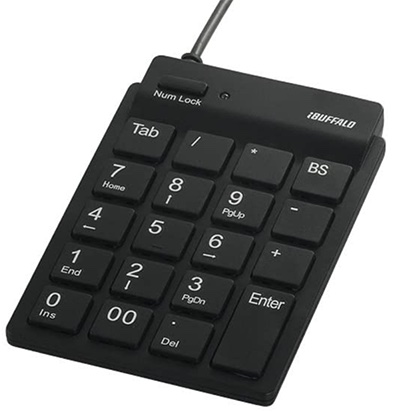
This product is intended for Windows, so when used on a Mac, the issue described in the link below occurs:
The cause is that Mac and Windows numpads send different key codes; the Windows-specific codes interfere with macOS behavior. Installing and configuring Karabiner-Elements solves the problem.
2. Installing Karabiner-Elements
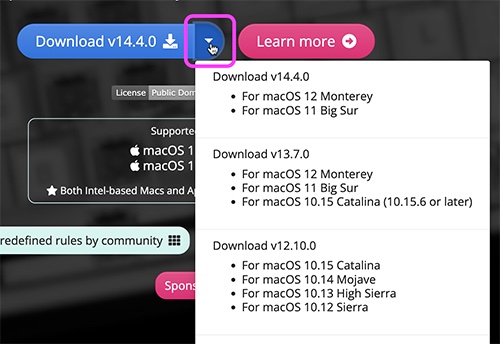
Open https://karabiner-elements.pqrs.org/ and click Download.
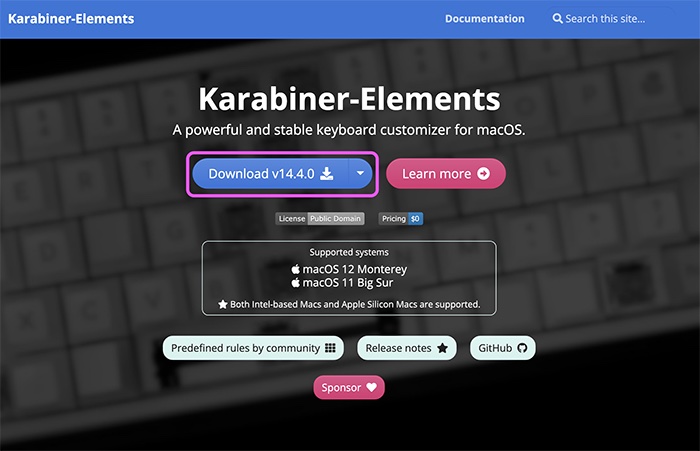
Check your macOS version and download the appropriate build. As a rule, it’s best to update macOS first.
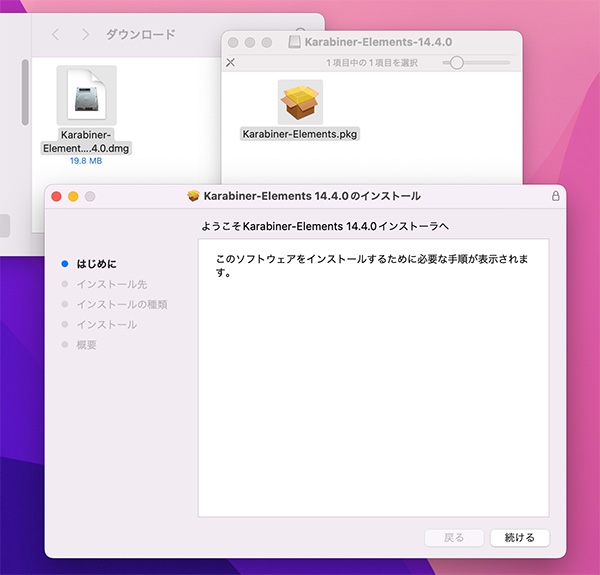
In the Downloads folder, open Karabiner-Elements-14.4.0.dmg, then double-click Karabiner-Elements.pkg and follow the installer instructions.
3. Granting Security Permissions
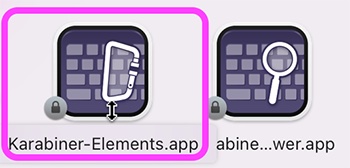
Two applications are installed. Double-click Karabiner-Elements.app to launch it.
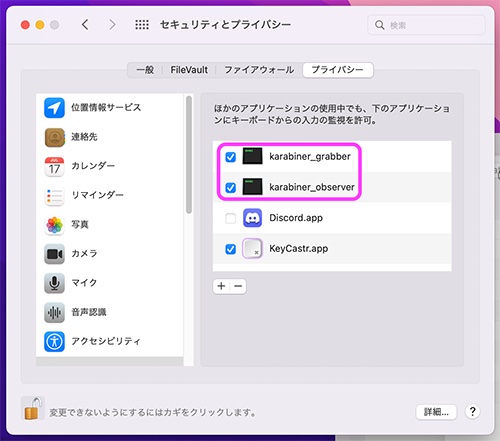
You’ll see several warnings. Open System Preferences > Security & Privacy and configure two things.
In the Privacy tab, enable both of the following. An administrator password is required.
karabiner_grabberkarabiner_observer
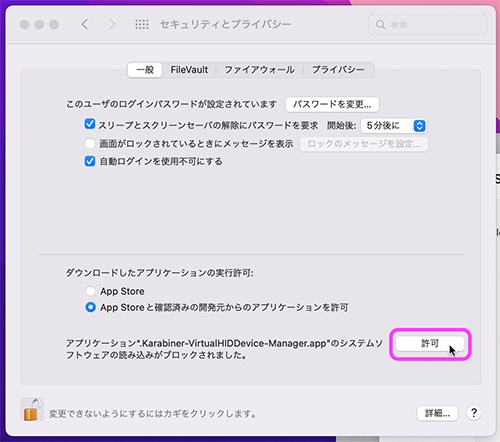
In the General tab, click Allow as shown. An administrator password is required.
In the Keyboard Setup Assistant, click Continue and follow the prompts. For the final keyboard type, choose JIS (Japanese).
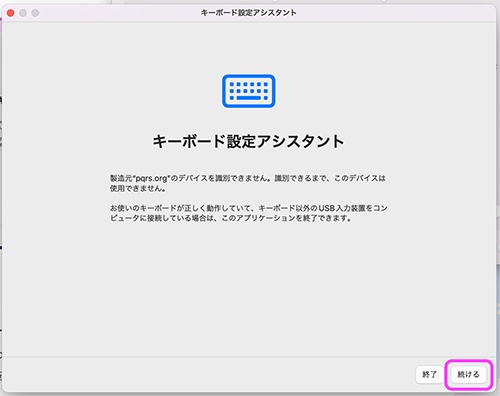
If your key behavior gets messed up, you can redo the setup from System Preferences > Keyboard > Change Keyboard Type.
4. Configuring Karabiner-Elements
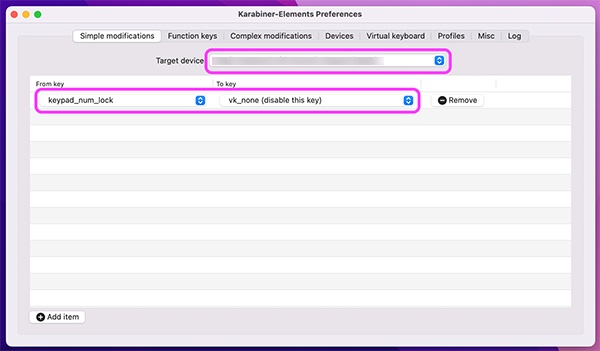
Under Simple Modification, choose the connected numpad as the Target device.
Click Add items at the bottom-left of the window and set the following:
- From key:
keypad_num_lock - To key:
vk_none (disable this key)
Uninstalling
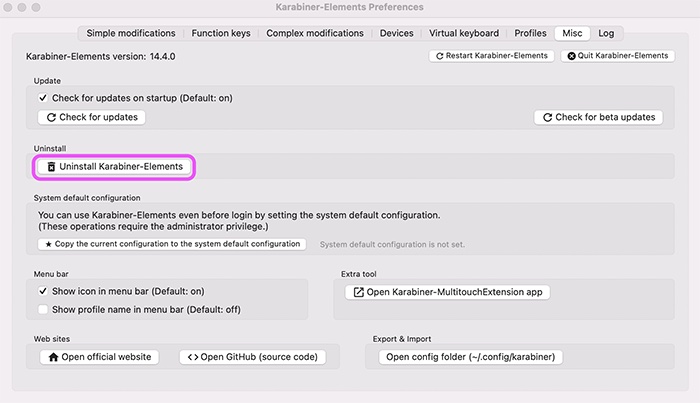
Karabiner-Elements runs at startup, so if you no longer need it, it’s best to remove it. Use Uninstall Karabiner-Elements as shown below. Expect to enter your administrator password about twice.