Prompt Play
Updated: 2026-05
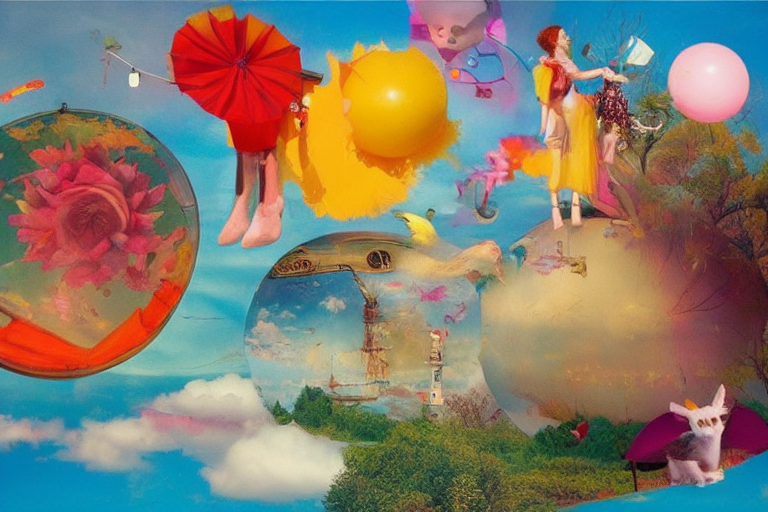
1. About This Page
The first installment of the “Fun Experiment” trilogy. Practical and entertaining — in other words, a collection of prompt experiments that “actually produce results and are fun to watch.” In class, the teacher tests them out beforehand and recreates the one that goes over best during the lesson.
E-1 through E-3 are designed to serve as a repertoire of ideas that students can freely try out. There is no need to cover all of them during class.
2. Idea A: Combining “○○-style” prompts
Combine the three elements of “A Style + B Theme + C Atmosphere.”
Examples:
Studio Ghibli style, a cyberpunk samurai, golden hour lighting1980s anime style, a Japanese tea ceremony, melancholic moodUkiyo-e style, an astronaut on the moon, dramatic shadowsPixel art, a medieval marketplace, festive
The magic of combining elements creates a whole new world in an instant. Combining LoRAs makes it even more powerful.
3. Topic B: Turning Photos into Paintings
Applications of img2img / Inpaint.
- Upload a photo you took
- Prompt:
oil painting, impressionist style, brushstrokes - Denoise: 0.5
Everyday photos instantly become museum-quality art. Since students can easily bring in their own photos, this makes for a great icebreaker in class.
4. Example C: Comparing the Same Prompt Across Four Models
Generated using the same prompt, with only the checkpoint changed.
- SD 1.5: It has a vintage feel, but the grainy texture is interesting
- SDXL: Well-balanced
- Flux dev: Photo-quality
- Z Image Turbo: Fast + High quality
When you compare them, you can see the “distinctive characteristics” of each model. This exercise really brings home the fact that image-generating AI has a history and its own unique character.
5. Topic D: Nonsense English Prompts
A combination of words you wouldn’t normally think of.
a teapot made of clouds, floating in spacea cat wearing a business suit, conducting a meeting in a forestMount Fuji as a giant cake, a festival of squirrelsliquid metal flowers blooming on a digital screen
CLIP is surprisingly flexible; it will return something even if you give it a prompt you don’t quite understand. “It feels like having an AI write a poem for you.”
6. Idea E: The Same Scene in Photorealistic vs. Anime Style
Prompt 1: photorealistic, a young woman walking through Shibuya at night, neon reflections, 35mm film
Prompt 2: anime style, a young woman walking through Shibuya at night, neon reflections, animation cell shading
When you compare the same scene side by side in “photo” and “animation” formats, you can really see how much the style can be altered by the prompt.
7. Topic F: Playing with Negative Prompts
If you deliberately write something weird on the negative side, it crumbles in a funny way.
- Negative:
text, watermark, hands→ A creepy figure with no hands appears - Negative:
colors→ The image becomes almost monochrome - Negative:
face→ A figure with no face (modern art style)
By learning to “not draw,” you can experience firsthand the power of negativity.
8. Topic G: A Collection of Style LoRAs
I’m trying out every single Flux-style LoRA from Comfy Cloud.
- Ghibli-style / Pixel art / Comic / 80s movie / iPhone photo-style …
- Use the same prompt and seed, but change only the LoRA
- Experience the power of style switching
9. Topic H: Language Mix
Mix Japanese and English in the prompt. Although CLIP is English-based, it can interpret Japanese based on proper nouns and context.
A samurai standing on a street corner in Kyoto, photorealisticA traditional ryokan garden in autumn, with golden autumn leaves
Sometimes the illustrations turn out to be more distinctive than those in standard English.
10. Idea I: Playing with Aspect Ratios
Whether it’s vertical, horizontal, or square, the impression changes completely.
- 512×768 (portrait): Portrait orientation, full-body shots of people
- 1024×512 (landscape): Cinematic, landscapes
- 768×768 (square): Ideal for social media and cover images
Even with the same prompt, the camera position varies slightly depending on the aspect ratio.
11. Topic J: Mixing Multiple Themes
A fox wearing a kimono and a robot wearing a hakama walking together in a temple courtyardIf you include multiple themes in the prompt, a story unfolds on a single screen. The order of the prompts also affects the outcome.
12. Tips for Conducting Classes
- Keep 5–6 short jokes in your repertoire
- Demonstrate them live, and move on to the next joke during the 5–10 seconds it takes for the punchline to land
- Have the students try 1–2 of them themselves (while keeping an eye on their “credit” usage)
- The “turn your photo into a painting” joke is particularly popular with students
13. Credit Budget
If you try out all the content on this page using the SD 1.5 base, it will cost a total of about 5 to 10 credits. If you use Z Image Turbo or Flux dev to achieve production-quality results, it will cost 20 to 40 credits.
Out of a student’s monthly budget of 400, I keep the “fun stuff” budget to around 30 to 50.
14. What’s Next
- Algorithm Exposure — Experiments that peek inside the system, such as CFG extremization and latent space interpolation
- Edge Cases — Experiments designed to intentionally break the system
- To Runway — A bridge to the Runway exercise