Network Fundamentals
Updated: 2020-04

This article was written in 2020. It is kept here as an archive — the content is outdated and some links may no longer work.
1. What Is a Network?
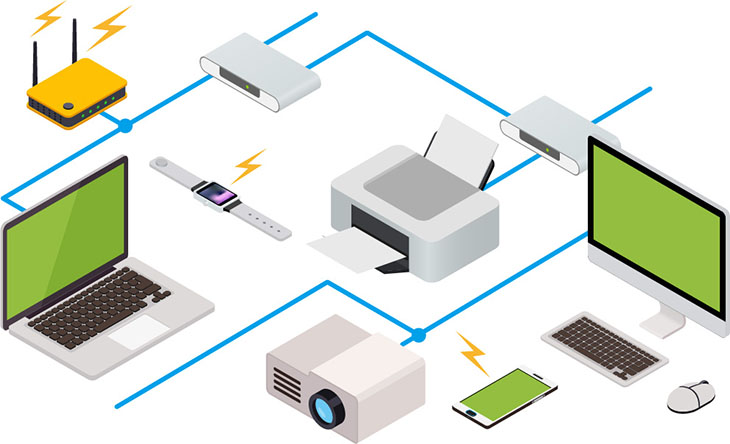
From computers and smartphones to printers and TVs, virtually all electronic devices—whether wired or wireless—are connected to a network.
2. Network Architecture
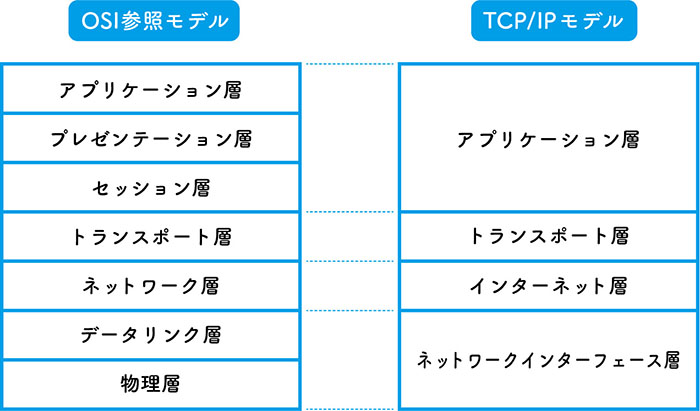
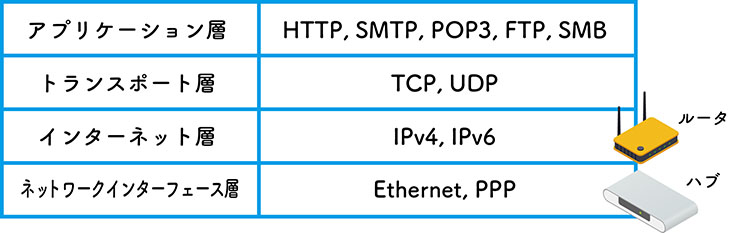
Network technology is defined using a layered structure, as shown in the figure below. Although a communication standard known as OSI (Open Systems Interconnection, shown on the left in the figure below) emerged in the 1980s, its complexity led to the widespread adoption of the simpler TCP/IP model (shown on the right in the figure below), which remains in use today.
3. TCP/IP Protocol Suite
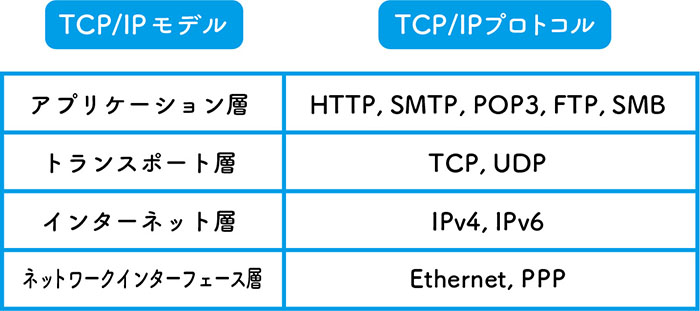
The TCP/IP suite is a collection of standard protocols used in networking, and it is installed on all standard PCs. HTTP, which is used for web browsing, and SMTP and POP3, which are used for email, are located at the application layer.
4. TCP and UDP (Transport Layer)
TCP and UDP are representative protocols of the transport layer.TCP (Transmission Control Protocol) ensures reliable communication by verifying that data is not lost or duplicated, and is used for web (HTTP) and email (SMTP, POP3) communications. On the other hand, UDP (User Datagram Protocol) eliminates these verification procedures, making it suitable for applications that require high communication speeds, such as audio and video streaming.
4.1 OSC (Open Sound Control)
A standard developed as the next generation of MIDI. It enables data communication between computers and sound synthesizers over a network. The communication protocols used include UDP and TCP (though UDP is more common). Data can be transmitted over Ethernet or Wi-Fi. It is supported by Processing, openFrameworks, and TouchDesigner, and is also used for communication between different platforms, such as VJ software and lighting equipment.
4.2 Art-Net
This standard was developed as the next-generation successor to the DMX512 lighting control protocol. It enables data communication between lighting equipment and applications over a network. The communication protocols used are UDP and TCP. Like OSC, it is compatible with a wide range of applications and devices.
5. IP Addresses and Ports (Internet Layer)
5.1 IP Address
Electronic devices are identified on a network by a number called an IP address (Internet Protocol Address). The IP address standards currently in use include IPv4, which is widely adopted, and IPv6, the next-generation standard. Due to the depletion of global IPv4 addresses, the transition to IPv6 is underway.

5.2 Port
If you think of an IP address as a home’s “address,” then a port can be thought of as a “door.” By having multiple port numbers (doors) within the same IP address (address), a single device can handle connections using different communication protocols and facilitate communication between different applications.
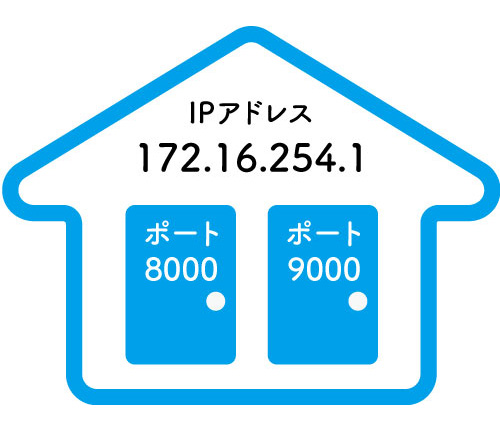
Port 80 is generally designated for web connections, and there are also port numbers that have been established by convention. (Reference: https://www.cman.jp/network/term/port/)
6. Routers and Hubs (Network Interface Layer)
6.1 Router
It is installed between different networks and serves to relay communication data (packets). Many models include a DHCP server function, allowing users to set up a LAN with automatic IP address assignment. There are wired models and Wi-Fi-enabled wireless routers.
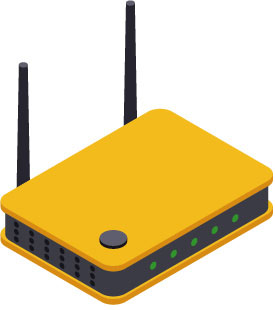
6.2 Switching Hub
This device acts as a network hub, providing additional ports for connecting LAN cables. It can also be daisy-chained like a power strip.
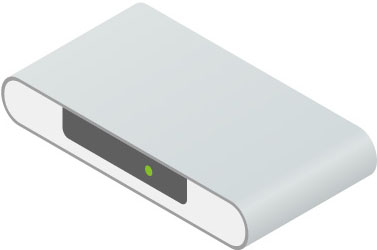
A router is a device that operates at the Internet layer of the TCP/IP model, while a switching hub operates at the network interface layer.
6.3 Connecting a Router to a Switching Hub
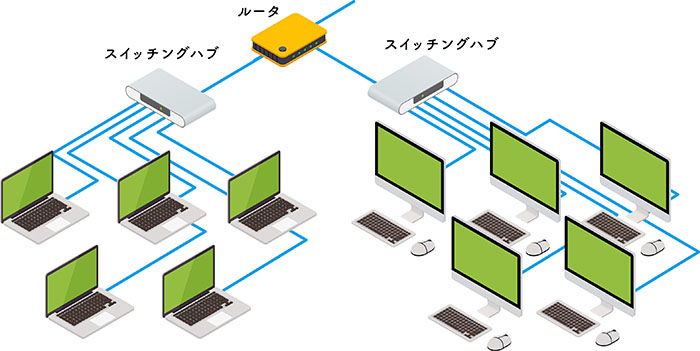
While many routers come equipped with multiple LAN ports (acting as a hub), additional switching hubs are added as the number of connected devices increases.